Hover the notch. See everything.
Every project you're tracking, and exactly how far along it is.
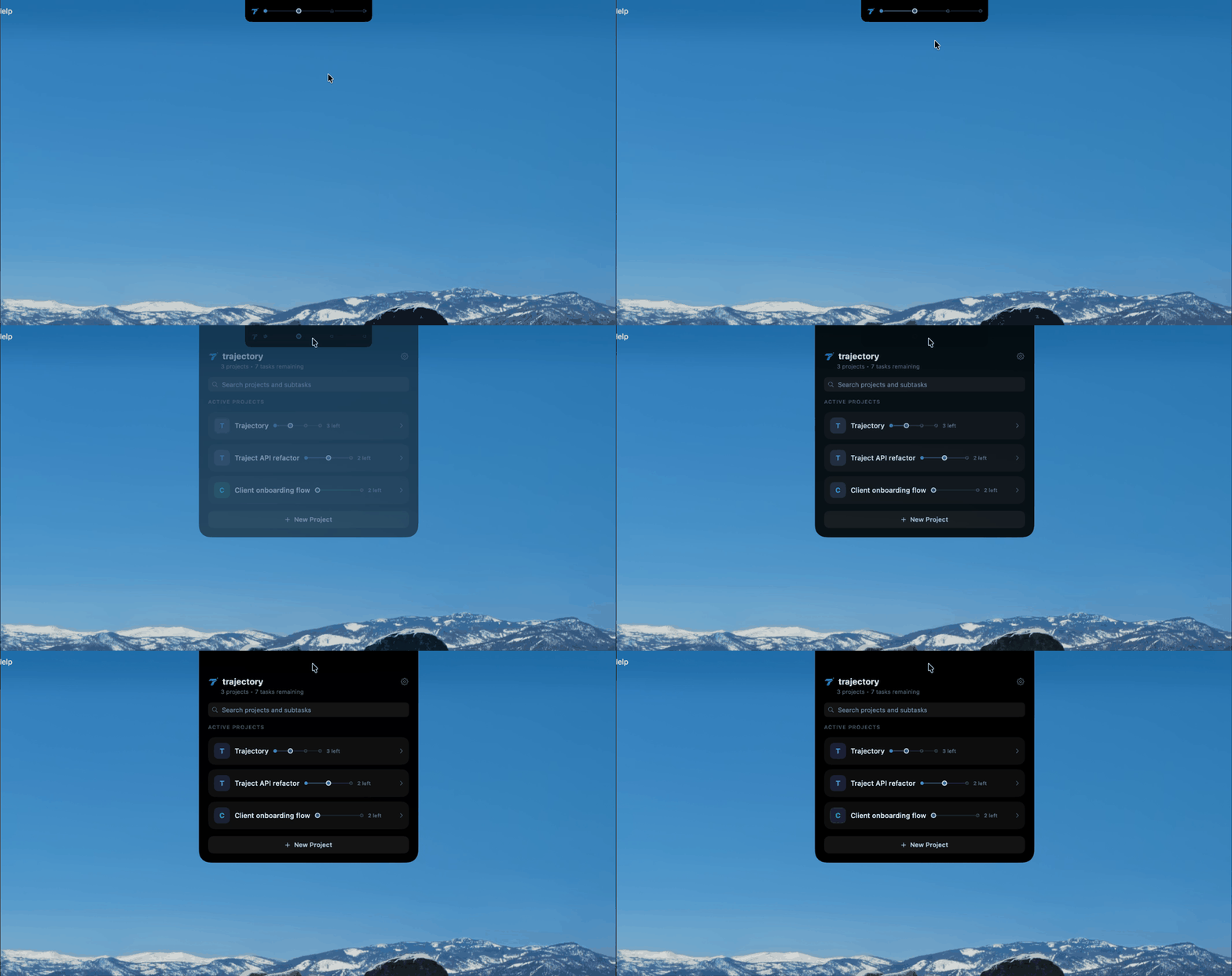
Track projects directly from your Mac's notch.
trajectory
trajectory tracks how far you've actually gotten on a coding task — whether or not Claude Code, Cursor, or any AI tool is even running that session.
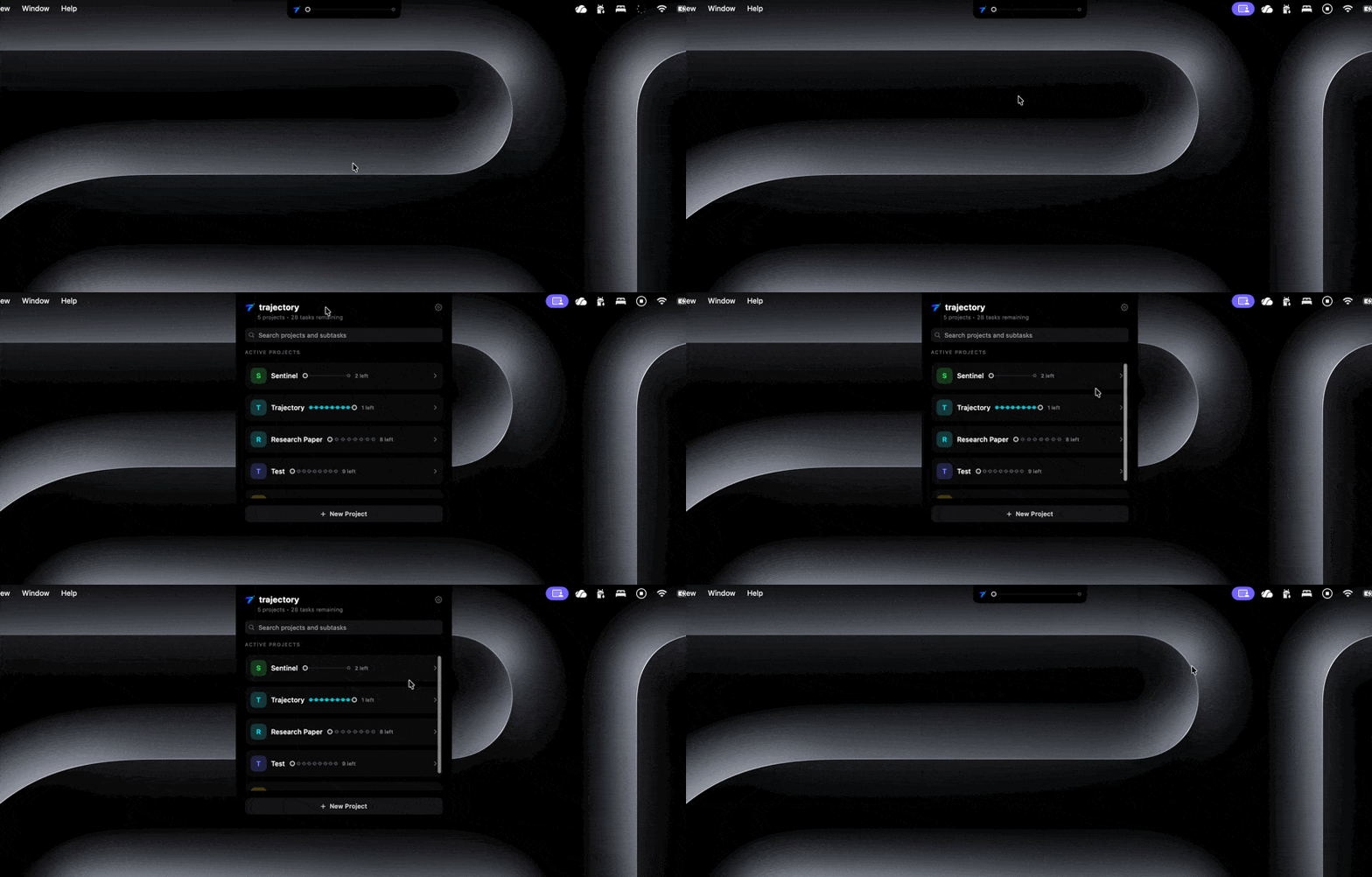
No Notch? No Problem.
No notch? We gotchu.
What it Does
Built for How You Actually Work
Track projects your way — hands-on, hands-off, or somewhere in between.

Manual Tracking
Break a project into subtasks and move them through four honest stages. No fake percentages
AI Task Breakdown
Describe a project in a sentence. Claude splits it into a checklist for you.
Auto-Detection
Opt in per project and trajectory watches your file saves and commits — off by default, always your call.
Full Transparency
See exactly what's sent to AI, with secrets automatically redacted.
Pricing
Free, or Free With a Boost
Manual tracking is free forever — no account, no catch. Subscribe to unlock AI features, using your own Claude API key.
Free
$0
Unlimited manual tracking
Unlimited projects
No account required
trajectory Pro
$3.99/mo
AI project breakdowns
Activity summaries
Folder watching
Use your own Claude API key
*may be changed based on user feedback
Get started
Know Where You Stand
Free forever for manual tracking. Add your own API key when you want Claude doing the breakdown.
Sign-Up NOW
Our Privacy Policy
Privacy Policy
Effective date: 8/10/2026
trajectory is a native macOS app for tracking progress on coding projects.
In short: trajectory the company operates no servers and never receives, stores, or has access to your data. Everything is stored locally on your device. If you choose to enable AI suggestions, a scrubbed summary of your activity is sent directly from your device to Anthropic, using your own API key — it never passes through us. The sections below explain exactly what that means for each feature.
1. Manual tracking (default, always free)
Creating projects, describing tasks, and moving them through stages happens entirely on your device. This data is stored locally. No account or API key is required, and nothing is sent anywhere.
2. Opt-in folder watching
If you enable folder watching for a project (off by default, per project), trajectory monitors that folder locally for file saves and git commit activity. This builds an on-device activity feed only. No data leaves your device for this feature.
3. Opt-in AI suggestions (requires your own Anthropic API key)
If you add your own Anthropic API key, trajectory sends a summary of recent activity directly from your device to Anthropic's Claude API, using your key. This summary includes only filenames, commit messages, and diff statistics — never file contents. Before sending, anything matching common secret patterns is automatically redacted. Claude suggests which subtask your activity relates to; you always tap Accept or Dismiss — the app never changes a task's stage automatically. You can review exactly what was sent at any time in the app's transparency view.
This data goes straight from your device to Anthropic. Trajectory does not operate a server in between, and never receives or sees this data.
4. What we don't do
We don't operate any server that receives your data
We don't access, transmit, or store your file contents
We don't use your data to train any AI models
We don't sell your data to anyone
5. Third parties
When AI suggestions are on, the scrubbed summary in Section 3 goes directly to Anthropic using your own API key. Your use of Anthropic's API is subject to Anthropic's own data handling practices — see their Privacy Center for details: https://privacy.claude.com
6. Data storage
All project and task data is stored locally on your device. Nothing is synced to any server or cloud service Trajectory operates.
7. This website
This website does not use any analytics or tracking.
8. Your choices
Folder watching is off by default and can be turned on or off anytime, per project. AI suggestions require you to explicitly add an API key, and you can remove it anytime.
9. Children's privacy
trajectory is not directed at children under 13, and we don't knowingly collect data from children.
10. Changes
This policy may be updated occasionally; changes will be posted here with a new effective date.
11. Contact
Questions? Email [email protected]
Support
Need Help?
Need help with trajectory? Email me at [email protected] — currently a one-person project, so response times may vary, but I read everything.
Quick Answers
Do I need an API key?
No — manual tracking works fully without one.
Is My Code Ever Sent Anywhere?
No. Never file contents, and nothing is sent at all unless you add your own Anthropic key.
Is trajectory Free?
Yes — the app itself is free. AI suggestion features are an optional subscription.
© trajectory Notch. All rights reserved.